Taskingos App Store
Dental Patient Operations CRM
Coordinate patients, appointments, treatment plans, recalls, and insurance follow-ups.
Built for operators
Launch the workflow first, then refine it around your team.
A dental operations starter for practices that want patient follow-up, treatment readiness, recalls, and insurance coordination in one workspace.
Run the day
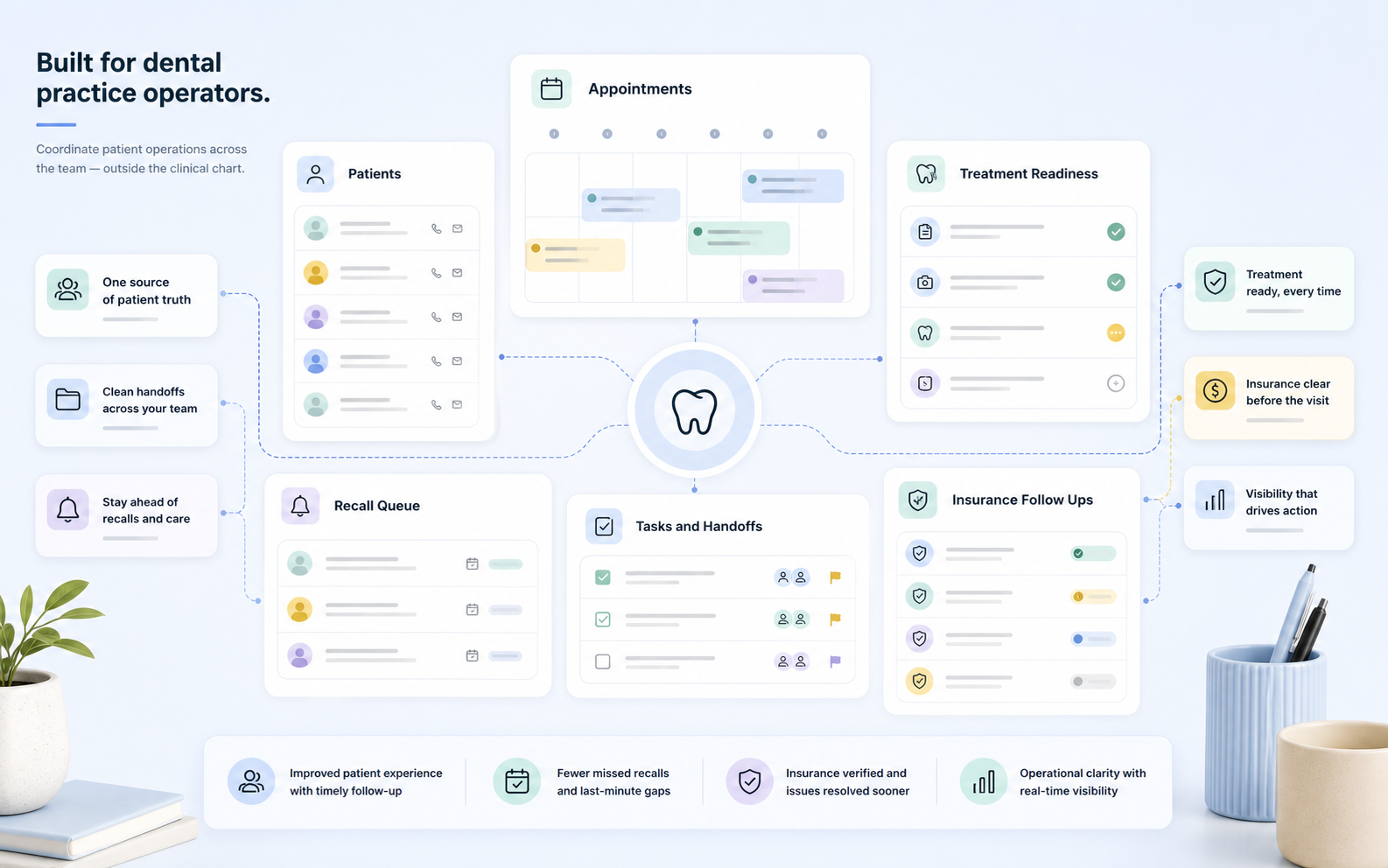
The daily dental operations console this starter is built to support.
Front-office and operations teams can work from patients, appointment readiness, treatment plan follow-up, recall queues, insurance follow-ups, task ownership, and operating reports without turning Taskingos into a clinical chart.
Appointments not ready
Confirm forms, files, and follow-up owners before visits.
Treatment plans and recalls
Prioritize patients by due date, last contact, next action, and owner.
Insurance tasks
Review missing information, submitted items, due dates, and blocking reasons.
Owner workload
See overdue follow-ups, recall aging, and open work by owner.
Keep Patients and follow-up work in one view.
A dental operations starter for practices that want patient follow-up, treatment readiness, recalls, and insurance coordination in one workspace.
01Give every handoff an owner and a next step.
Keep patient operations owned
02Use Patients Needing Follow Up to catch stuck work early.
Operators can review queues, open work, owner workload, and exceptions before customers feel the delay.
03Portal-lite included
Give patients a clean place to send information back.
This app installs with a configurable portal for secure account access, public forms, requested uploads, status views, and account-scoped records. Admins can decide which internal records, fields, forms, and files appear outside the workspace.
Forms and uploads flow into the installed app with mapping back to records.
Only approved fields, statuses, pages, and files are visible to the signed-in portal user.
Workspace admins tune portal labels, accent color, email subjects, modules, and data scope.
What installs
A ready operating system, not a blank template.
Install the starter and get the working surfaces first: records, workflow stages, reports, and integrations. Then adjust fields, owners, and timing around your real team.
01
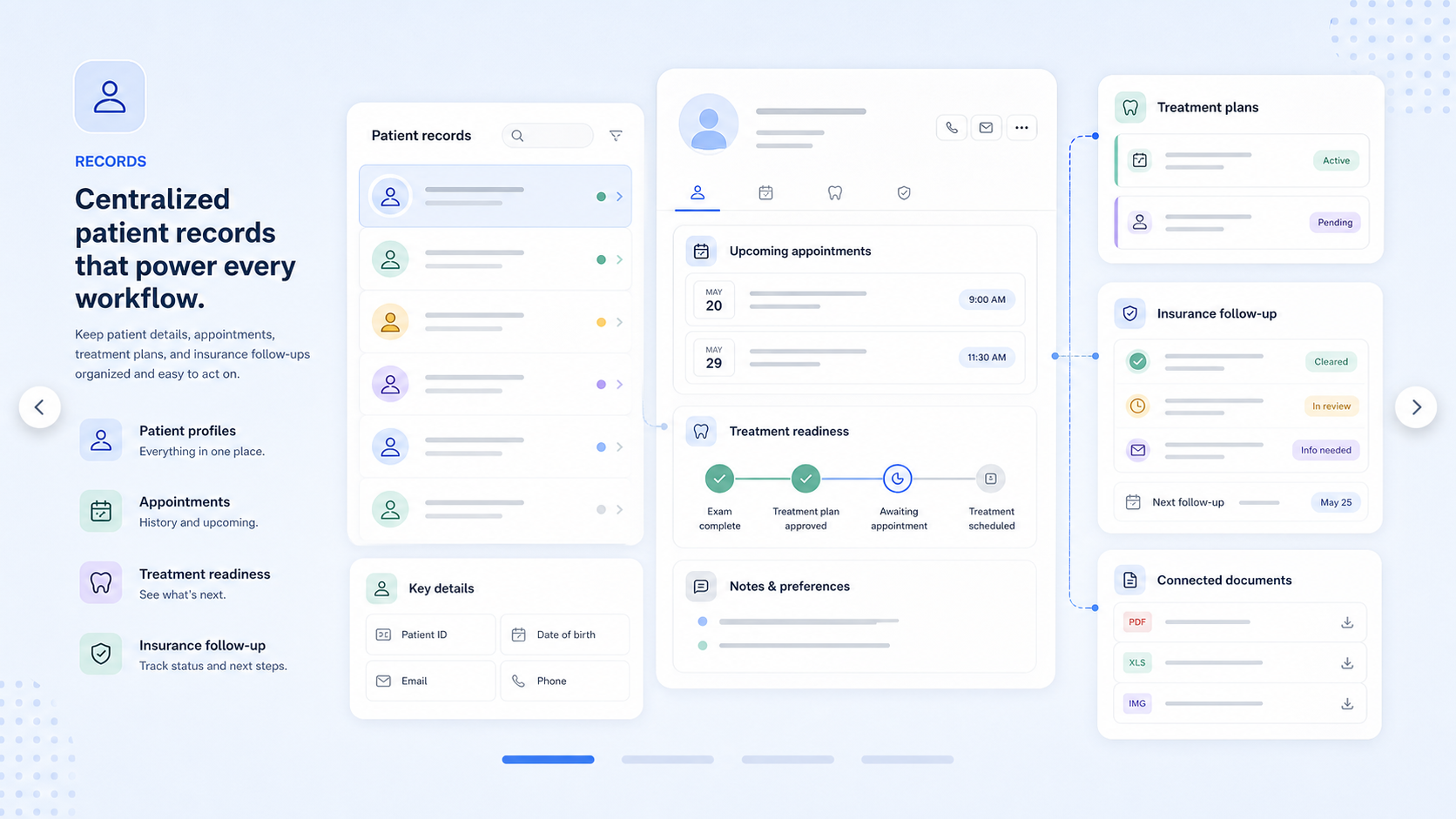
The shared source of truth
Records
Give the team clean places to keep the operational details that drive the workflow.- Patients
- Appointments
- Treatment Plans
- Insurance Follow Ups
02
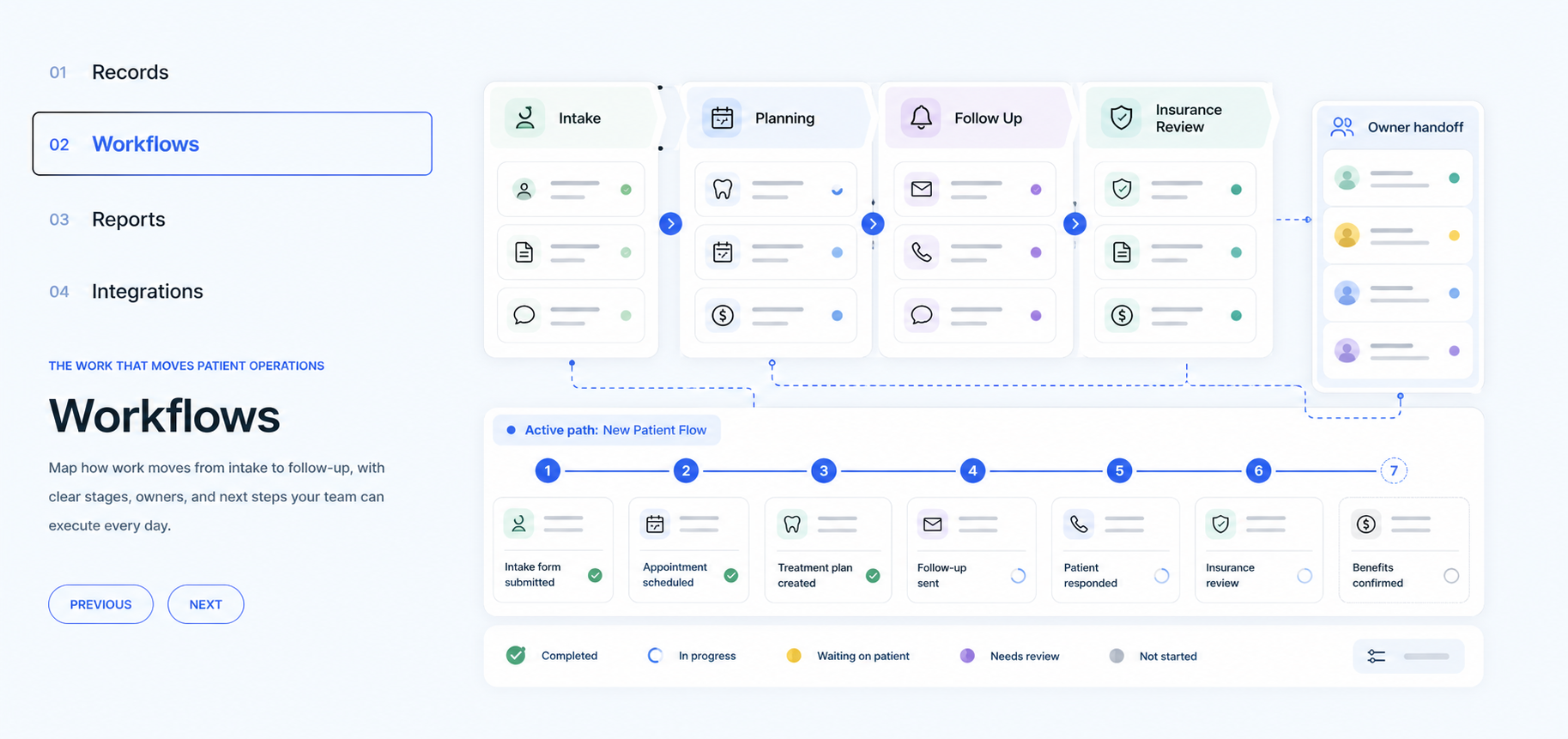
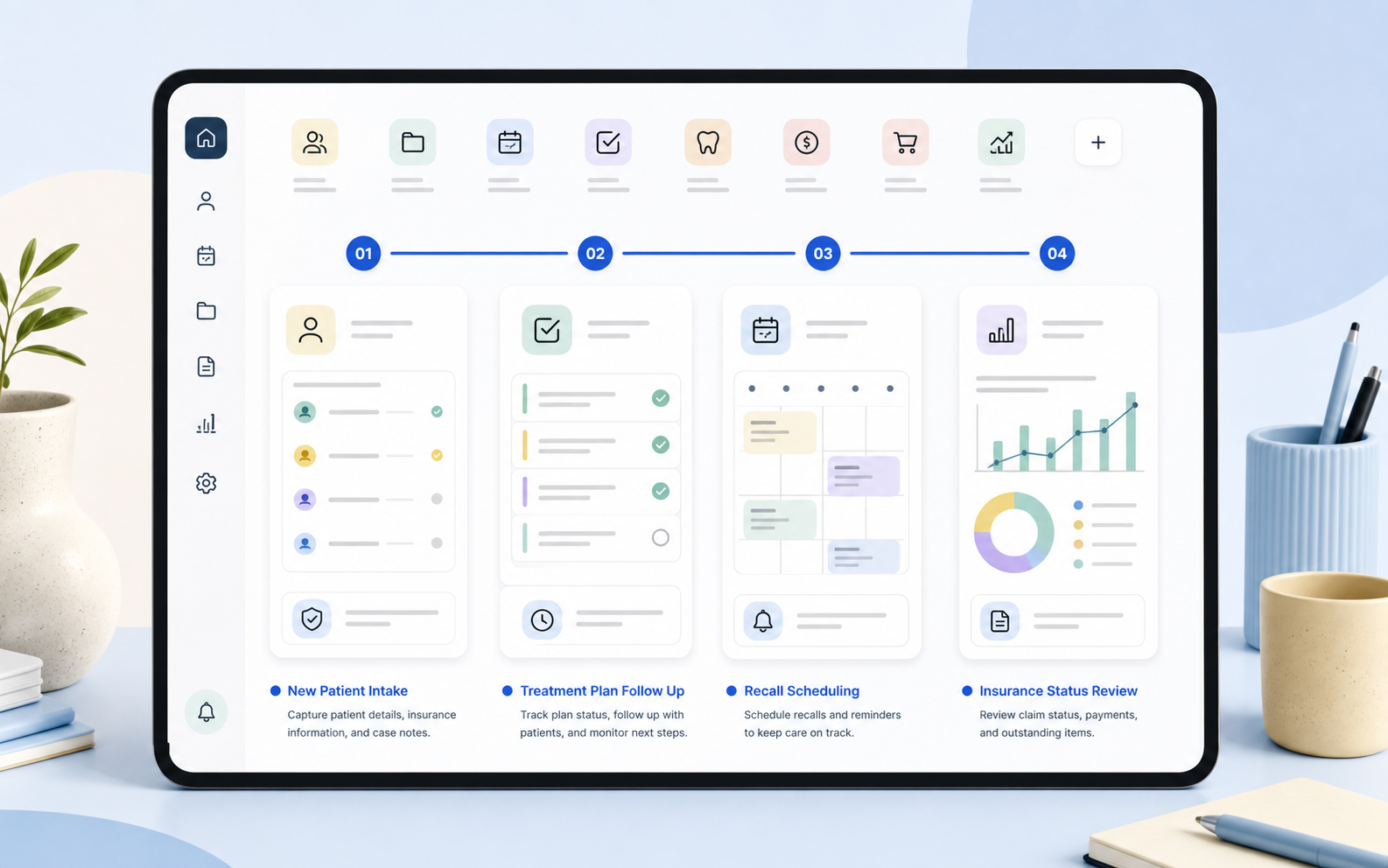
The process your team follows
Workflows
Move work through visible stages with owners, timing, and follow-up queues.- New Patient Intake
- Treatment Plan Follow Up
- Recall Scheduling
- Insurance Status Review
03
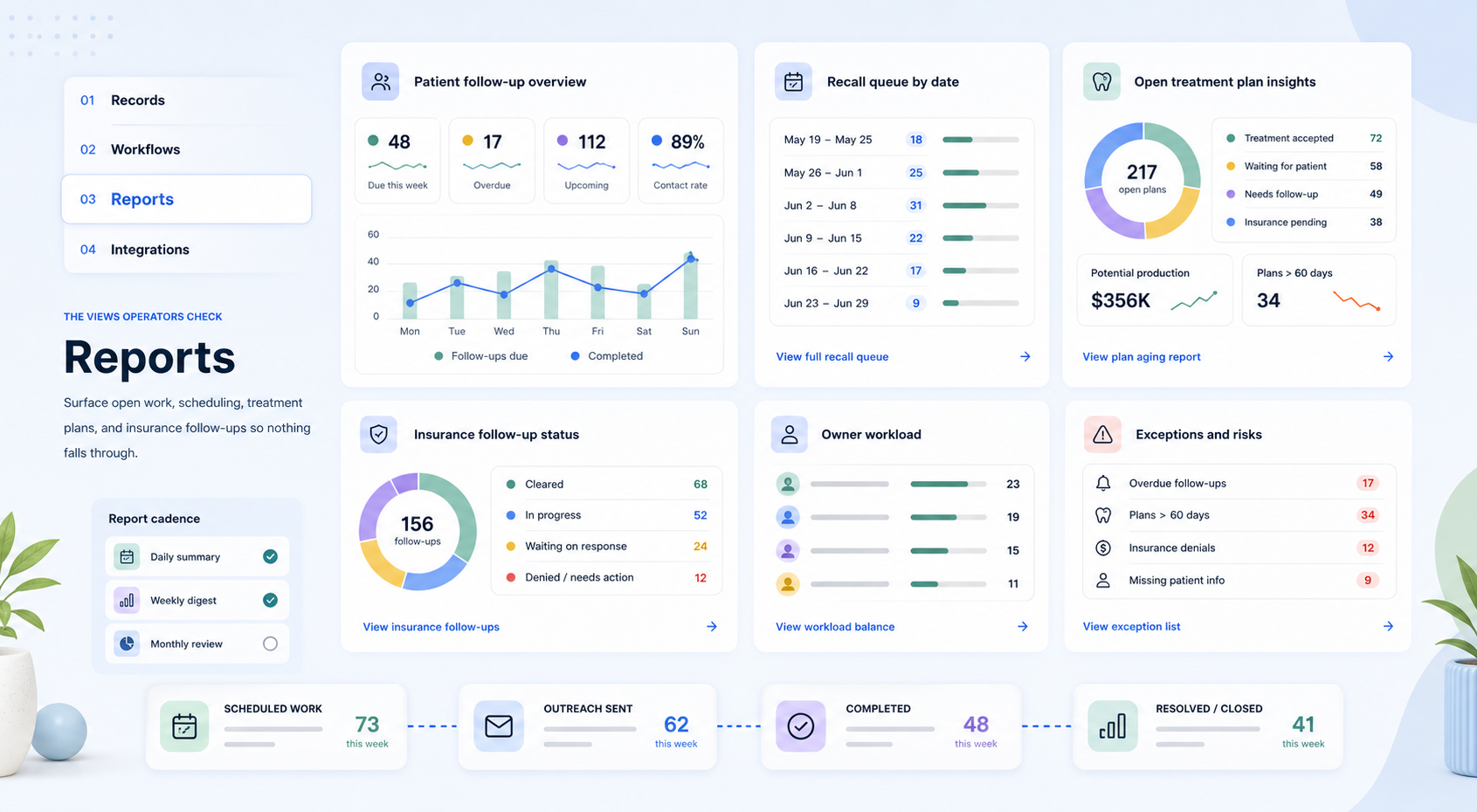
The views operators check
Reports
Surface open work, stuck follow-ups, aging queues, and the next priorities.- Patients Needing Follow Up
- Open Treatment Plans
- Recall Queue By Date
04
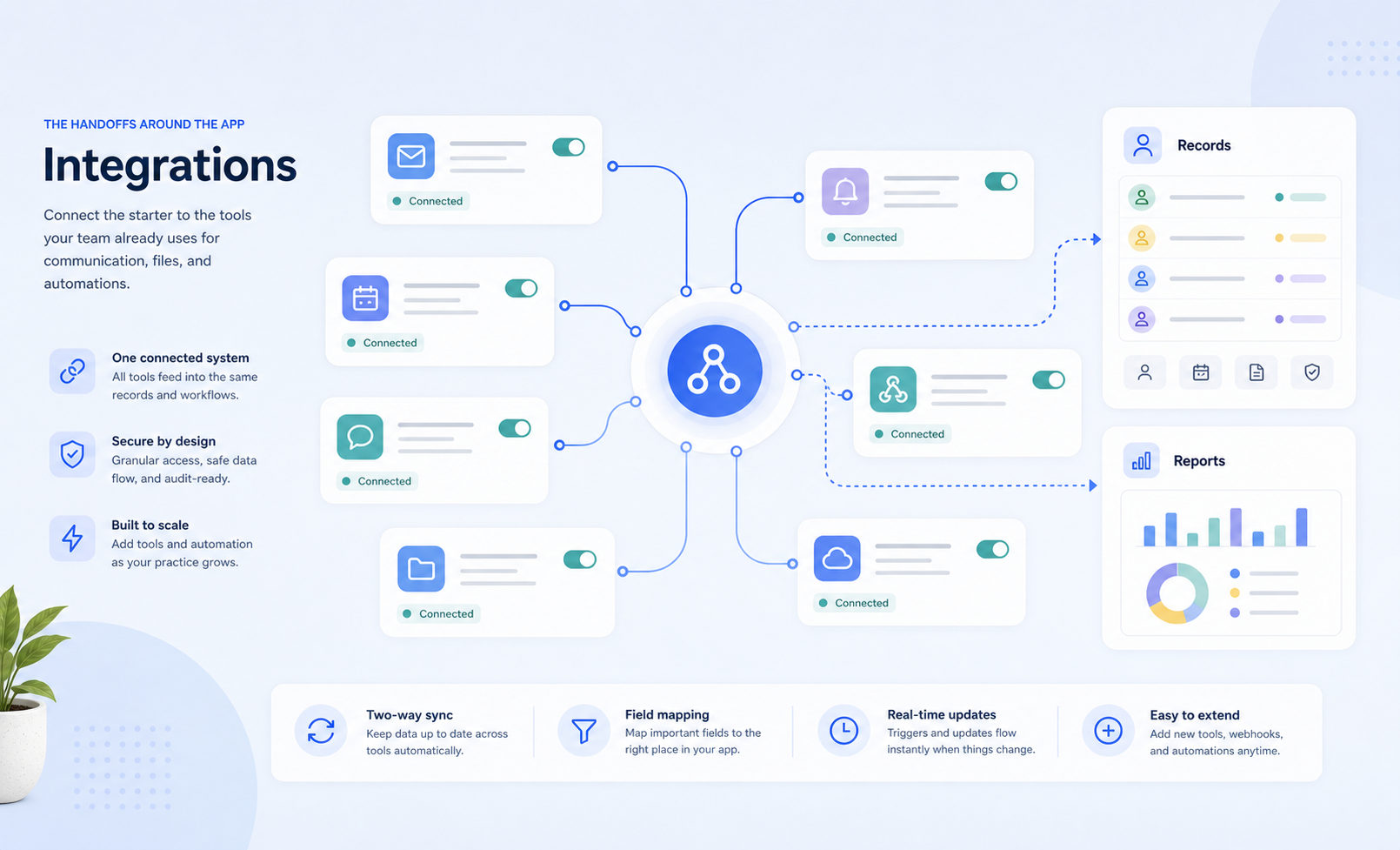
The handoffs around the app
Integrations
Connect the starter to the tools your team already uses for communication and files.- Slack
- Google Workspace
How it works
Start from a complete app, then make it feel native to your business.
Install the starter, review the included structure, then customize ownership, timing, saved views, notifications, and reporting before the team starts using it.
New Patient Intake
Start with the core information your team needs, then adjust fields and required handoffs for Dental Patient Operations CRM.
Treatment Plan Follow Up
Turn loose follow-up into owned work with queues, reminders, saved views, and clear next actions.
Recall Scheduling
Turn loose follow-up into owned work with queues, reminders, saved views, and clear next actions.
Insurance Status Review
Turn loose follow-up into owned work with queues, reminders, saved views, and clear next actions.
Operator customization
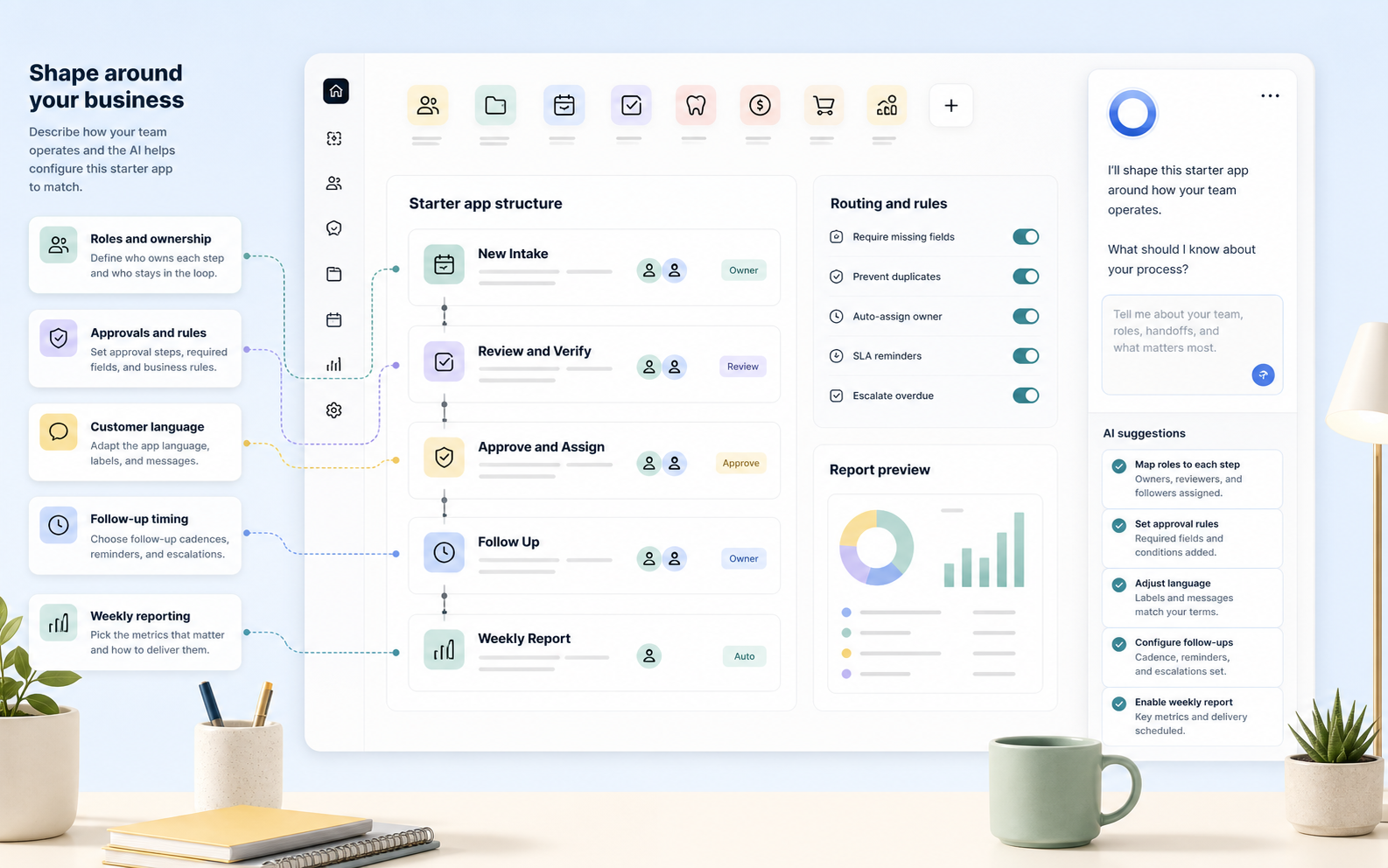
Ask the operator to shape this app around your exact business.
The starter gives you the structure. The operator helps translate it into your real roles, approval rules, customer language, follow-up timing, and weekly reporting rhythm.
- Keep patient operations owned
- Surface missed recalls and treatment follow-ups
- Coordinate insurance tasks without mixing clinical records
Customize this dental patient operations CRM with appointment follow-up, recall queues, insurance tasks, and treatment plan reporting.
Use this app as your starting system.
Start with the included structure, then tune the app around your customers, team, workflows, integrations, and reports.